The crucial number is missing.
You noted plenty of measurements, but the one you need is missing.
Checking a measurement often means another site visit.
MISSING A MEASUREMENT? CHECK THE SCAN.
Back at the office and missing a measurement? With BaumaScan, your site comes with you as a 3D model. Scan with your smartphone on site, check measurements in the captured area later and discuss details with your team.
For iOS & Android


iOS: exclusively iPhone 13 Pro / Pro Max and newer Pro or Pro Max models.
Sound familiar?
Back at the office, your quote is almost ready. Then you realize one measurement is missing. Another trip to the site, another measurement, more time lost.
You noted plenty of measurements, but the one you need is missing.
Checking a measurement often means another site visit.A photo is missing, a note is unclear. What did that part of the site look like?
Follow-up questions take time and hold up work.With BaumaScan
The app creates a 3D model from your scan. In BaumaPortal, you can check measurements and revisit details later, even when you are no longer on site.
.B8BJrOFH_Z11aXi4.webp)
How scanning works
Turn a walk around the site with your smartphone into a 3D model to scale. You capture the area; BaumaScan handles the processing.
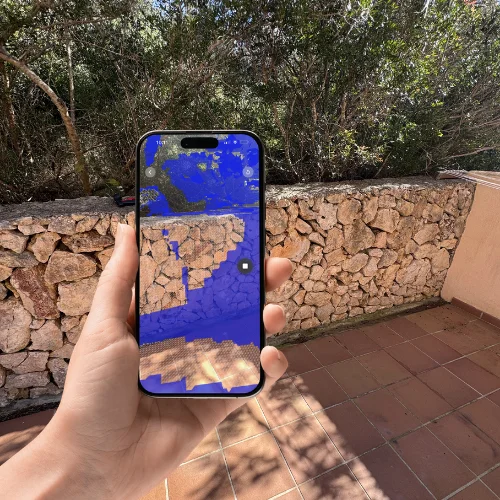
Walk around the area you want to scan with your smartphone. Capture it from different angles while BaumaScan collects the images and available sensor data.
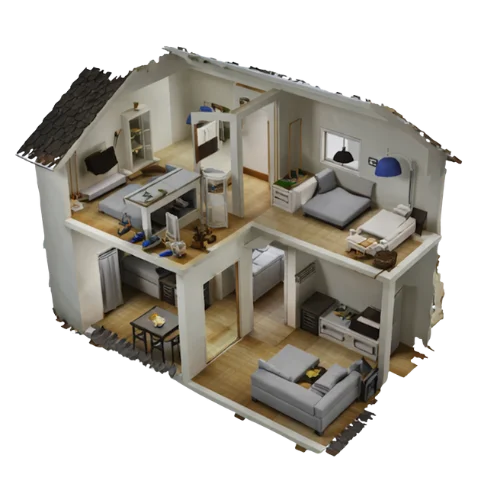
The result is a 3D model of the captured area, to scale. Open it in BaumaPortal, check measurements and share the scan with your team.
What BaumaScan includes
Two tools that work together: the BaumaScan app for on-site capture and BaumaPortal for working with your 3D models in the browser.
For the site
iOS & AndroidYour tool for on-site capture. Scan rooms and construction sites with your smartphone and upload your scans for processing, directly from where you work.
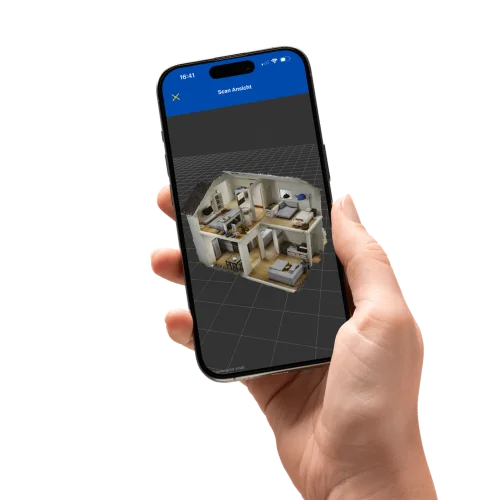 Your construction site in your hand
iOS: exclusively iPhone 13 Pro / Pro Max and newer Pro or Pro Max models.
For further work
In the browserYour workspace for digital site records. Open 3D models in your browser, check measurements and share the captured condition with your team, even after your site visit.
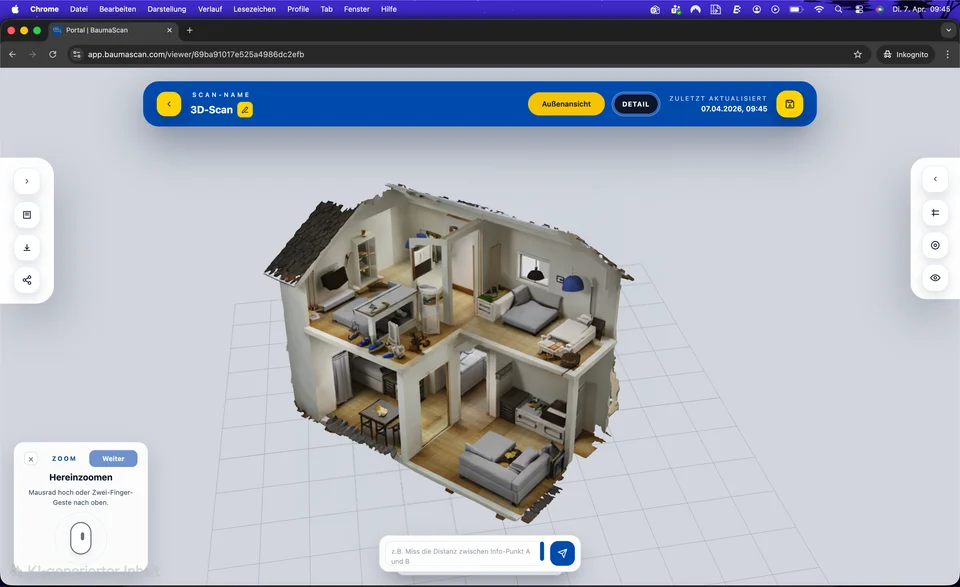
Capture and upload in the app. Once processing is complete, open your models in BaumaPortal to measure and share them.
appPortal
Frequently asked questions
The most important things about scanning, measuring and working with BaumaScan.
Start nowThe BaumaScan app is available for iOS and Android. Android requires ARCore Depth API support. On iOS, only iPhone 13 Pro / Pro Max and newer Pro or Pro Max models are supported. Other iPhone models are not supported by the iOS app. Open BaumaPortal in your browser to keep working with your 3D models.
More about the app and portalOn Android, you need a smartphone that supports the ARCore Depth API. The app uses camera images and depth data from ARCore Depth to build the 3D model locally on your phone. No LiDAR sensor is required. The iOS app requires an iPhone 13 Pro / Pro Max or a newer Pro or Pro Max model and uses its LiDAR depth data for the scan.
How scanning worksOn both Android and iOS, 3D models are created locally on your smartphone without an internet connection. You only need to go online to upload your models to BaumaPortal. BaumaPortal also requires an internet connection to open, organize and share scans in your browser.
Yes. You can view and measure completed 3D models directly in the BaumaScan app. BaumaPortal also provides measurement tools, so you can check dimensions on your phone or at the office.
Use the BaumaScan app to capture areas on site, upload your captures, and view and measure completed models on your phone. BaumaPortal is your browser workspace for organizing scans in folders, measuring and processing models, and sharing them with others.
Yes. Share your models by link in BaumaPortal so others can view the captured condition and discuss questions directly on the model.
Yes. You can process your 3D models or merge several models directly in BaumaPortal, in your browser.
Prices & Packages
Working alone on site or together as a team? Choose the plan that fits your work.
24.99 €per month
All functions including app & portal for solo users.
1 license
49.99 €per month
5 × app license & 1 × portal license – perfect for compact teams.
5 app licenses + 1 portal license
99.99 €per month
10 × app license & enterprise portal for larger project teams.
10 app licenses + Enterprise portal
Scroll sideways to compare all plans.
| Function | Premium | Team 5 | Team 10 |
|---|---|---|---|
| BaumaScan app | Included | Included | Included |
| BaumaPortal | Included | Included | Included |
| Scan management | Included | Included | Included |
| Cloud storage | 20GB | 100GB | 200GB |
| User & role management | Not included | Included | Included |
| Shared scan folders | Not included | Included | Included |
| Priority support | Not included | Not included | Included |
Are you already using BaumaScan? Go to BaumaPortal
YOUR QUESTIONS. ANSWERED IN PERSON.
Still unsure or have questions? Tell us about your day-to-day work. In a free 15-minute consultation, we will explore how you could use BaumaScan.
Prefer to try it yourself? Open the portal demoChoose your desired date at Calendly.